
This is the 2nd time I have used Compdoor, and the experience just gets better.
23 June 2026

Published by: David Massey
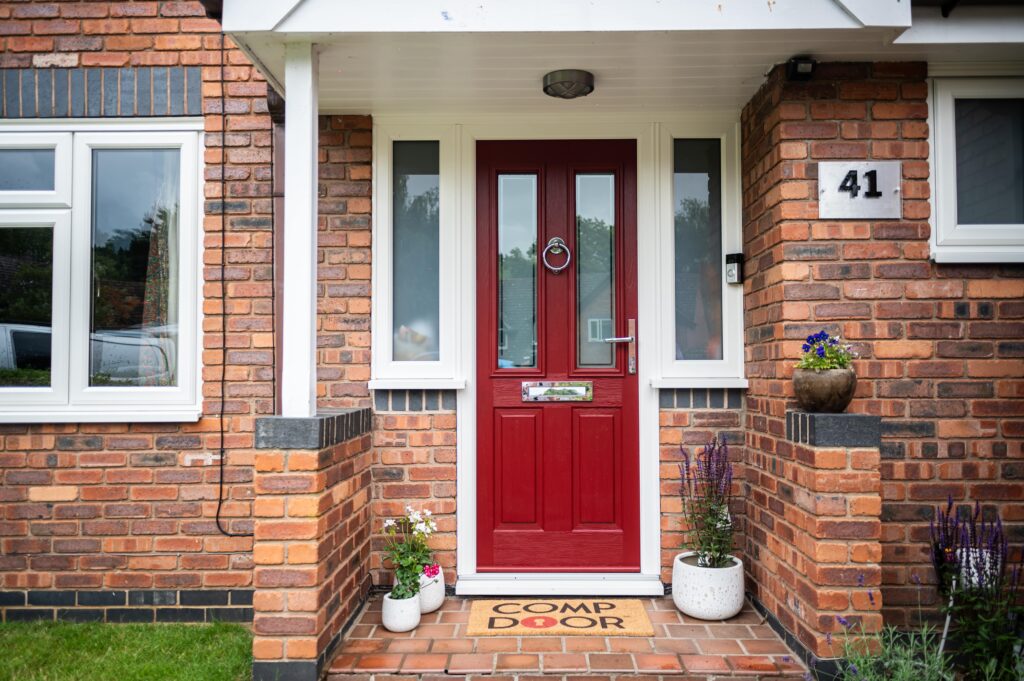
Your entryway is the first impression visitors have of your home. It’s a statement about your style, personality, and attention to detail. At Comp Door, we understand the importance of a well-designed front door, which is why we’ve developed a composite door like no other and a user-friendly online door designer tool so you can go wild! In this blog, we’ll walk you through the steps on how to design a door.

To begin your journey towards a bespoke front door, visit the Comp Door website. Navigate to the Door Designer section, where you’ll find our tool waiting to bring your vision to life.

Our door designer tool offers a variety of styles to suit different tastes. Whether you prefer a standard door, stable door, a door with sidelights or toplights or even a composite French door, select the door style that resonates with your personal taste and complements your home’s architecture.
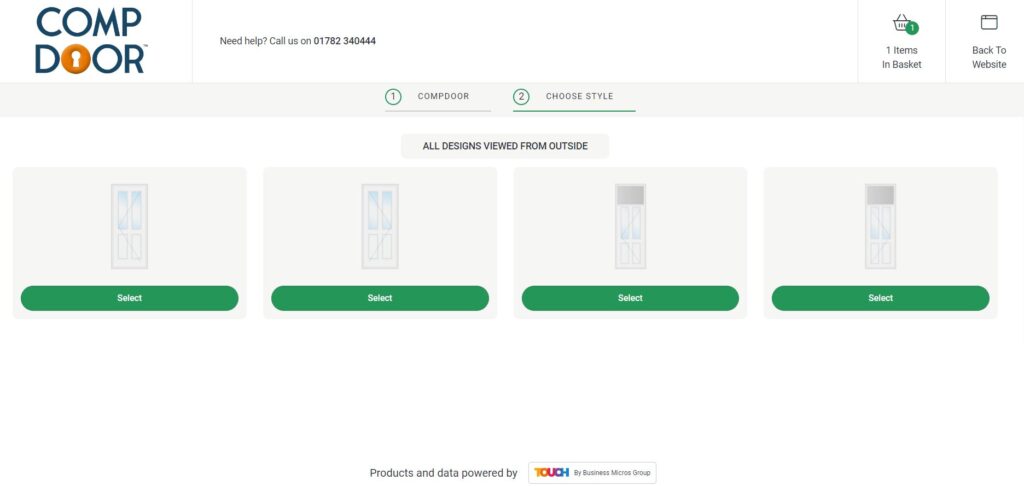
Select the opening of your composite door, do you want it to open from the left or the right?

The colour of your frame can be the same as the colour of the door slab or different. Most people opt for White. However, you can experiment with different colours to find the perfect combination.

We have a wide selection of composite door designs from timeless classics to modern and contemporary styles. In this step, choose the door style that most suits your home. You can check out our Instagram and find more images of our door styles in action to help you make a choice.
Want to know what’s in style? Find out what our most popular door styles are in our blog here.
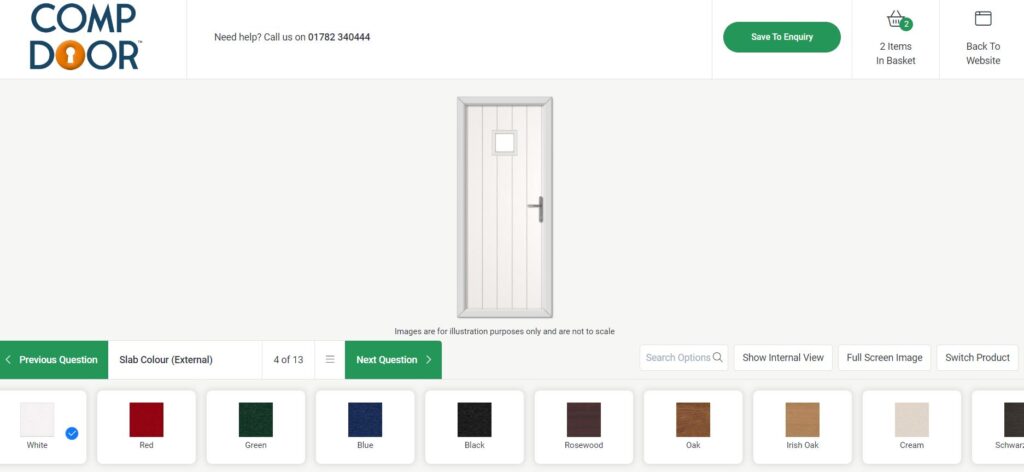
Next, pick a slab colour for your door. We have 18 colour options to choose from, so experiment and see which you prefer!
Next, pick a colour for the internal slab. This can be the same or different depending on your preference. Our customers often opt for White.
Check out our most popular colour options in our blog here.
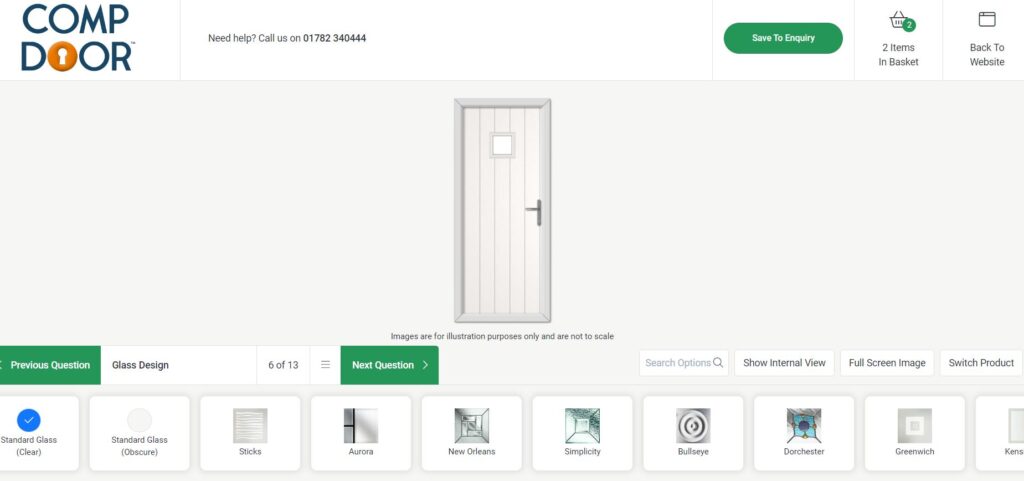
This step is not applicable for all door designs, only if you’ve chosen a glazed door. Here you can choose from our wide range of glass designs to find the perfect match.

Selecting the right hardware and accessories can make all the difference. Experiment with different colours, handles, letterplates, and accessories to find the combination that complements your door’s overall design. You can also add on a door bar restrictor if required.
Need more inspiration? Check out our blog on choosing the perfect handle for your door.

Once you’ve made all your selections, see your door come to life. Open the virtual home option to get a realistic view of how it will look in your home. For this you will need to take a picture of the front of your home and upload it into the software.
And that’s how to design a door! Happy with your creation? Save your design or share it with friends and family for feedback. The Comp Door online door designer tool makes it easy to revisit and modify your design until it perfectly aligns with your vision.
Once you’re happy, submit an enquiry. Once this enquiry is received, it will be distributed to one of our trusted installers.
Designing your dream composite door has never been easier, thanks to the user-friendly online door designer tool at Comp Door. Try it out below! Got a question? Call us on 01782 340444. We’re always happy to help.
This is the 2nd time I have used Compdoor, and the experience just gets better.
23 June 2026
R Miller
Looks so nice and has made a huge difference to get appearance of our home. Added benefit that it has smart home technology in it!
S Meaden
The door is great quality and looks amazing. The choice of styles, colours, glass choices and hardware is great. Using the app to see what the door will look like is brilliant.
R Jones
Very nice door, good locking system, strong and sturdy. Nice on the eye…stands out amongst the others on the street.
J Moncaster
Feels like a proper solid door that gives a good clunk when it closes shut.
1 June 2026
P Daynes
Love my new door in a beautiful Chartwell Green. Easy open and closes lovely and quiet. Autolock so no need to find my keys every time I want to open the door.
L Smith
The style is wonderful and choice of colours is superb. I was very grateful that a door could be made in a non-standard size for me, I’ve honestly never felt more safe in my home.
J Whitehead
Lovely door, very impressed with how solid and well made what a great improvement
We will feel more secure and it will keep us much warmer.
25th April 2026
D Dalby
I love my new comp door, it’s a golden oak wood with frame. It looks really stylish and I like the 3 little glass panels going down the door.
The door and frame are really sturdy unlike my old frame which moved if you lent on it. The door has a double lock so I feel extremely secure when in upstairs and also when in out of the house. I would recommend these doors to anyone they are a good safety investment.
13th April 2026
S Morfett
Love the sage green door and the colourful glass we chose. Comp door feels secure as well which is why we went for one!
12th April 2026
D Arthur
My wife and i both love our new front door. Love the colour and style.
2nd April 2026
C Bennett
What a beautiful and stylish addition to our home. A fantastic door and installation.
H Darlow
Excellent, more secure and keeps the heat in better. Very quick installation too
J Milbourn
Looks amazing and feels very secure
Anne H
Absolutely beautiful door
Louise
Brilliant, had so many compliments. Lovely front door
Lily W
Always my favourite door to install.
Worcester Trade Frames
So stylish and am really impressed with the security features would definitely recommend these doors
Wendy
The door fitted perfectly. A lovely finish and very stylish. Even my neighbour commented on how lovely it is. The glass in it compliments the door and colour. No complaints here.
M Marshall - Trustpilot
I was initially drawn to Comp Door because they came across as having genuine integrity and a real desire to improve the industry with their products, placing innovation before any financial incentives. Now that I have dealt with them firsthand, I can attest that this is all true. Their customer care has been incredible throughout and I can always expect a reply to any query almost immediately, which isn’t an industry norm.
Wayne Shaw - The Window Company
The guys at Comp Door have been a great help in getting us set up. They’re always there to help and have been quick to resolve any issues we’ve had. The product not only looks great and is good quality, but it is also very reasonably priced.
Rob Dale - Strata Windows
Fantastic products! We’re really pleased to work with such a great supplier. We’ve ordered over 70 doors from these guys now and it will only continue. It’s a pleasure to work with Pierre and all the staff, everybody has been very helpful. It’s a real pleasure to work with people that actually listen and do care. Big up to Comp Door!
Tyrone & John - Swadlincote Windows


